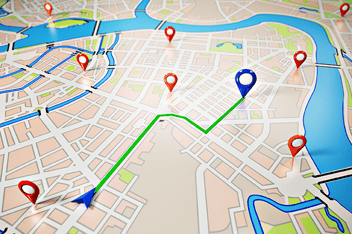

Most field service organizations still build their daily routes by hand, or close to it. A dispatcher looks at the jobs on the board, checks who's available, and assigns work based on what seems reasonable given the map and the clock. That approach holds up when you're running a handful of technicians. It starts to break the moment your team, your territory, or your job volume grows.
Route optimization is the fix for that specific problem. It's not a scheduling feature or a nice-to-have add-on. It's the difference between a technician driving in circles and a technician spending most of their day actually working.
What route optimization actually does
Route optimization takes the jobs on a technician's schedule and sequences them to minimize drive time while still respecting the constraints that matter, fixed appointment windows, job duration, skill requirements, and how many jobs need to fit into the day. Done manually, this is a puzzle a dispatcher has to solve by feel. Done through automation, the system evaluates the realistic combinations and returns the sequence that gets the most done with the least driving.
The best systems don't stop at planning the day in the morning. They keep recalculating as the day changes. A job runs long, traffic backs up, a customer cancels, or an emergency ticket comes in, and the remaining stops on every affected technician's route get rebalanced automatically. That's the part manual dispatch structurally can't do at any real scale. For more on how this connects to broader technician capacity, see Field Service Optimization: Maximize Technician Capacity.
Why this matters more than it looks like it should
The direct benefit is fuel savings, and that's real, less driving means lower fuel costs and less vehicle wear. But the bigger impact is usually indirect. When routes are tight, technicians complete more jobs in the same shift without working longer hours. Dispatchers can see the entire mobile workforce on a live map and reassign the closest available technician when something changes, instead of working the phones to figure out who's near a new job.
Customers feel this too. Real-time visibility into where a technician actually is means arrival windows get tighter and more accurate, and a status update goes out automatically if something shifts. Fewer missed windows and fewer "we'll be there sometime this afternoon" calls change how a service business feels to the people paying for it.
Why not every field service platform can do this
Scheduling and route optimization sound like they should be a checkbox on every field service management tool, and a lot of vendors list them that way. The gap shows up in the details. Can the system re-optimize mid-day when conditions change, or does it only plan once at the start? Does the routing engine actually account for job-specific constraints like skill matching and appointment windows, or is it just point-to-point mapping? Is this native to the platform, or bolted on through a third-party integration that adds a data lag between what's happening in the field and what the dispatcher sees?
Those differences are exactly where a unified platform earns its keep. When scheduling, dispatch, and route optimization share the same data as the rest of your field service operation, there's no sync delay between a technician completing a job and the system knowing it's time to re-route the rest of the day. AEX's approach to this is covered in more depth in AI Field Service Scheduling & Route Optimization.
Getting started without disrupting operations
Organizations moving from manual to automated routing don't need to flip a switch overnight. The more common path is starting with a subset of technicians or a single region, confirming the routing output actually reflects real-world constraints, and expanding from there. The main thing that determines how well this works early on is data quality, accurate job durations, current technician skill profiles, and clean address data. Get those right first, and the optimization engine has something real to work with.
It's also worth being direct about what automation replaces and what it doesn't. It replaces the manual, one-by-one sequencing of stops. It doesn't replace a dispatcher's judgment about a difficult customer, a technician who needs a lighter day, or context the system has no way to know. Good implementations let dispatchers see the optimized route and override it when they have a reason to, not force every decision through the algorithm.
Where this connects to the rest of field service delivery
Route optimization doesn't operate in isolation. It's most effective when it's tied to the same system handling scheduling, dispatch, and job completion, so that a finished job immediately frees up capacity for the next reassignment, and a missed window flows straight into a customer notification instead of a manual callback. It also connects directly to first-time fix rates, since a technician routed to the right job with the right context arrives better prepared. That relationship is covered in How to Increase First-Time Fix Rates in Field Service.
Closing
Route optimization is one of the highest-leverage changes a field service organization can make, precisely because it doesn't require hiring anyone or changing what technicians do on site. It changes how their day is sequenced. Organizations that treat this as a core operational capability, not an add-on, tend to see the difference show up in fuel costs, jobs completed per day, and how reliable their arrival windows actually are.
FAQ
What is field service route optimization? Route optimization uses automated planning to sequence a technician's jobs in the order that minimizes drive time while still respecting appointment windows, job duration, and skill requirements. It replaces manual, judgment-based routing with a system that recalculates constantly as conditions change through the day.
How is automated route optimization different from basic scheduling? Scheduling assigns jobs to technicians and time slots. Route optimization goes a step further and determines the most efficient order and path between those jobs, then adjusts that sequence in real time when a job runs long, a technician is delayed, or a new job comes in.
Does route optimization work for small field service teams? Yes, though the impact scales with team size and territory. Smaller teams see fuel and time savings; larger, more distributed teams see the bigger structural benefit, since manual dispatch becomes harder to do well as technician count and job volume grow.
What data does route optimization need to work well? Accurate job duration estimates, current technician skill and certification data, real-time location tracking, and clean address information. Optimization quality is only as good as the data feeding it, which is why most implementations start with a data cleanup pass.
Can dispatchers override an optimized route? In a well-built system, yes. Automation handles the sequencing math, but dispatchers retain the ability to adjust for context the system doesn't have, a difficult customer, a technician's workload for the day, or a last-minute priority change.
Image descriptor: aerial view of a delivery or service vehicle route highlighted on a city map, showing an optimized path through multiple stops
Image Source: Unsplash, Ishan “See from the Sky”


.png?width=352&name=blog%20post%20header%20(6).png)